The latest BOQ
A spreadsheet called final-v7, in someone's downloads.
A workspace for interior design studios
Keep the BOQ, the client payments and the "did they approve this?" thread on the project they belong to.
Built for studios that still run the rest of the job in WhatsApp and spreadsheets.
Arabic and English. Start with one project.
A natural fit for
Independent designers·Boutique studios·Design & build teamsWho it is for, and what it replaces
The design is the work you wanted. The rest of the week is finding the number, the file, the approval. Studio gives that chase a home.
A spreadsheet called final-v7, in someone's downloads.
A voice note, a bank screenshot, a guess.
The group chat, three weeks ago, maybe.
A number you rebuild every time someone asks.
What it does
One project record, from the first estimate to the last payment. Use the parts you need. Leave the rest until you want it.
The client, the site, the files and the offer sit on the same project. Open it and you are looking at the work, not reconstructing it from four threads.
Less searching.
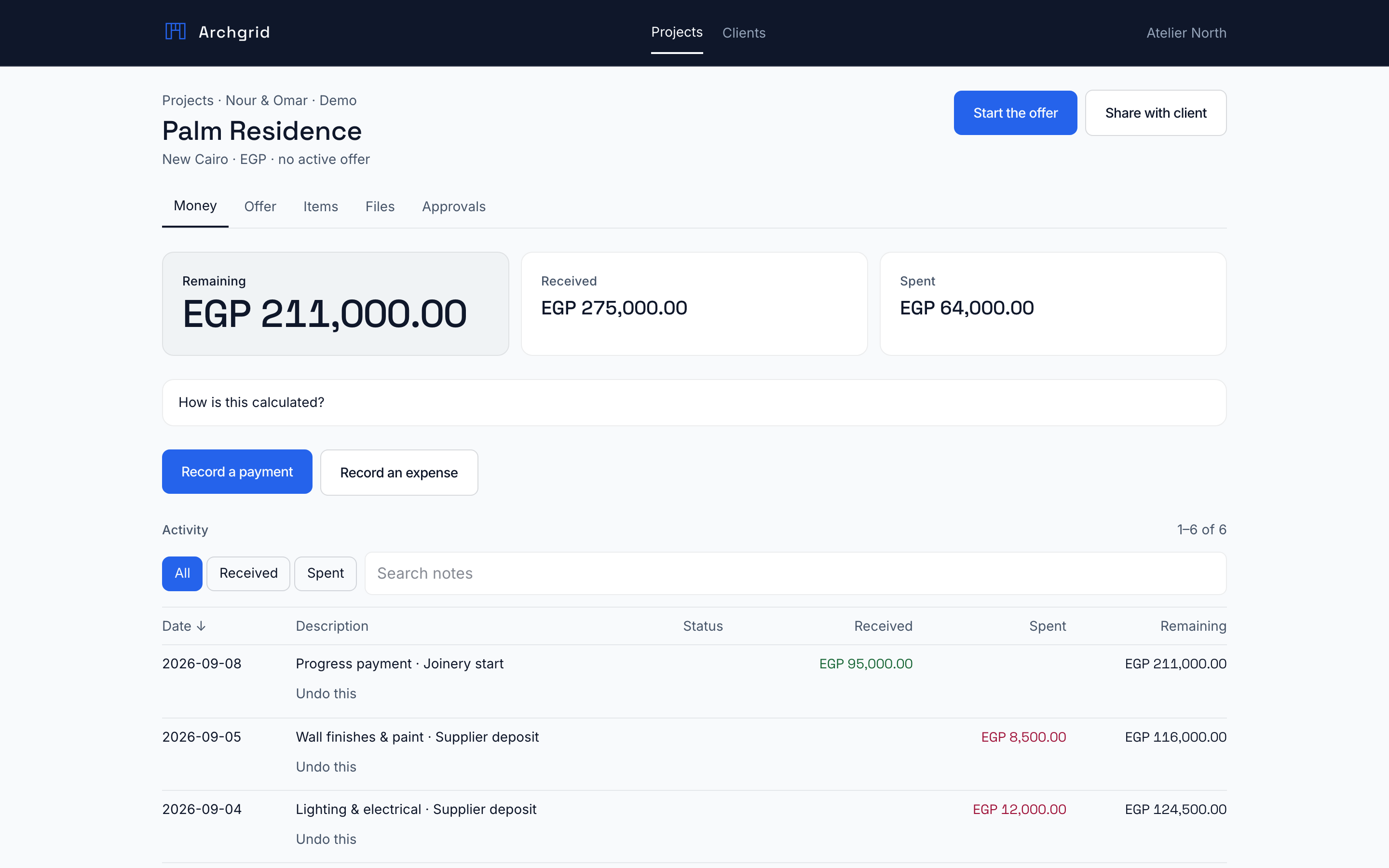
Log what the client paid and what went out to suppliers. Remaining cash is received minus spent. Estimates sit next to what you have already spent on each line.
Less spreadsheet maintenance.
Share a portal for updates and approvals. Clients see what you publish. They never enter your studio workspace, and your margins stay off the link.
Fewer follow-up messages.
A look inside
Screenshots from a fictional studio, so you can see the workspace without anyone's real clients on the page.
Log what the client paid and what went out to suppliers. Remaining cash is received minus spent, sitting next to the work it belongs to.
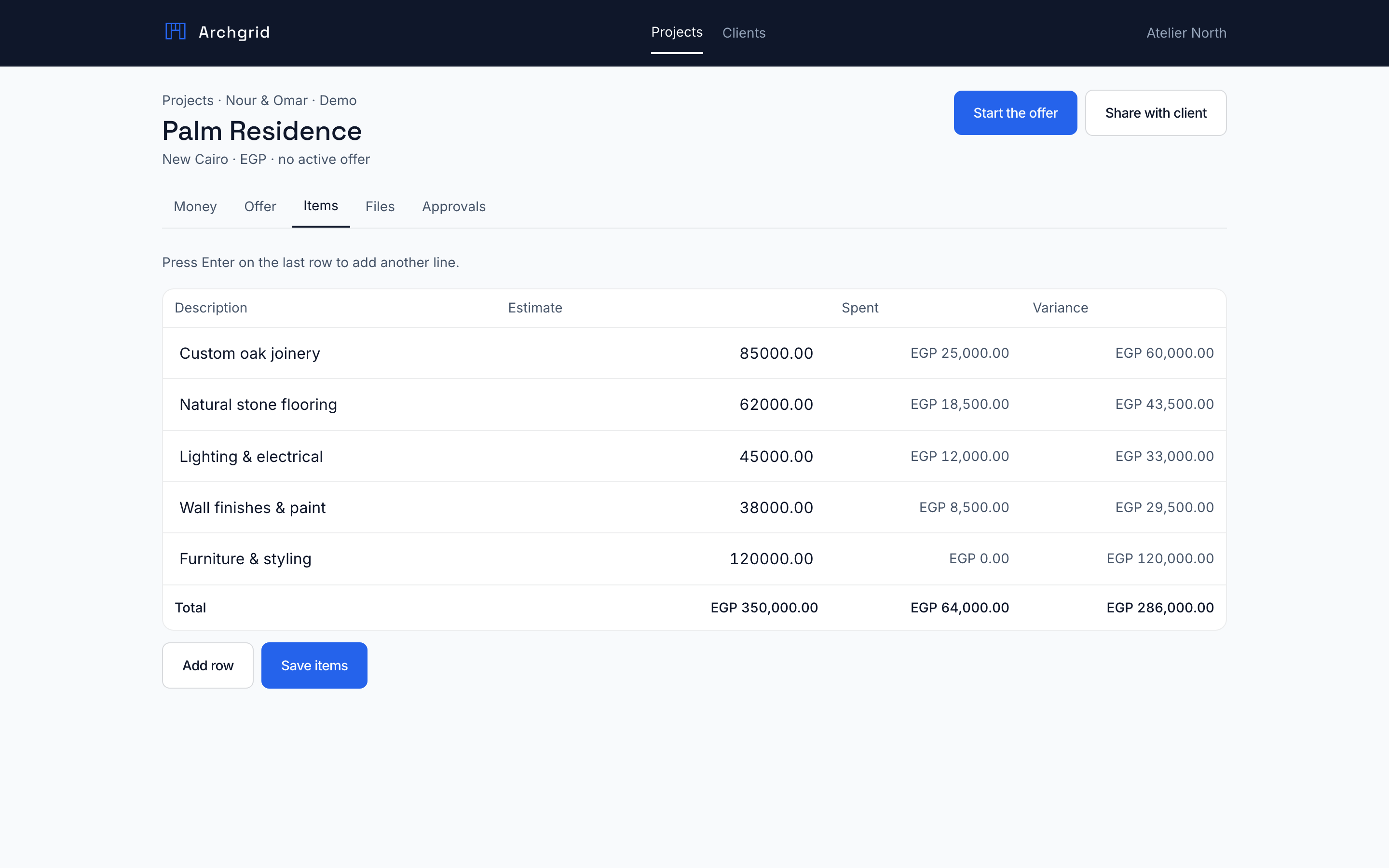
View full screen ↗Line items, estimates and what you have already spent. Search and sort instead of hunting through a spreadsheet named final-v7.
 View full screen ↗
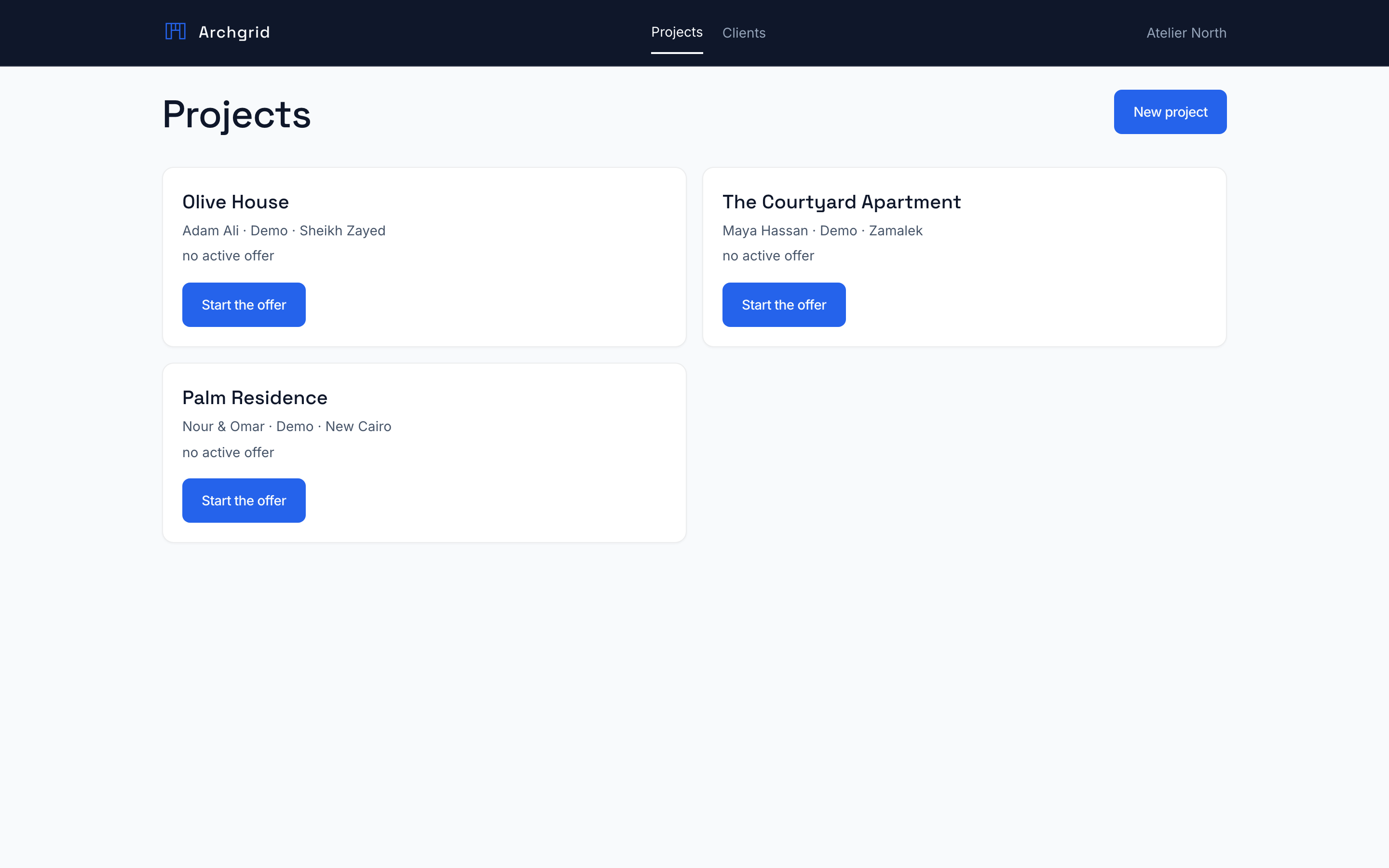
Open the studio and see the jobs. Each one already has its client and site attached, so you are not reconstructing the week from chat history.
 View full screen ↗
Inside Archgrid Studio · Fictional demo data · Project money
Why it is easy to start
You do not migrate the studio on day one. You put one live job in a shared place and see if the week gets quieter.
Tell us how you work todayAdd the client and the site. Name the job. Put the offer and the BOQ where the team can find them.
Share files, collect decisions, log money as it happens. Every update stays on that project.
When they need to see progress or approve a choice, they get a link. You stop forwarding screenshots.
Made for the work behind the beautiful work
Fewer scattered files. Fewer "which version?" messages.
A little more of the week spent on the design.
A few things you might be wondering
Interior designers, boutique studios and design-and-build teams who already design the space, then spend the rest of the week chasing the work around it: clients, BOQs, agreements, decisions and project money.
No. Start with one project. Add the client and the site, bring in the scope and the BOQ, and use the parts you need. The pilot is a chance to see if it fits before you roll it out further.
Yes. You share a project link. Clients see the information you publish and can respond to decisions, without an account in your studio.
Yes. The app supports both, including right-to-left layouts, so the team can work in the language that suits them.
Yes. Projects support JSON and CSV exports, and issued agreements have PDF snapshots. Your records can leave with you.
Studio is available through a pilot. Request access below and we will talk through your workflow, the setup and pricing before you commit.
Now welcoming pilot studios
Tell us how the studio runs today. We will see where Studio can take the chase off your plate.
One project. A workflow that fits your team.
Archgrid Studio, for interior design studios.